Version history
6.0.2 · September 2026
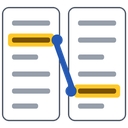
- A new program icon: two pages with the same highlighted phrase, linked, replacing the generic icon WCopyfind had used since it was first written.
6.0.1 · September 2026
- Licensed under the GNU General Public License, version 3 or later (earlier versions: version 2 or later), with a link to the source code in the About box.
6.0.0 · September 2026
A new window
- Three numbered steps: choose the documents, decide what counts as a match, compare. The window can be resized, and the lists grow to fill it.
- Document lists show each document's name and folder, with counts, and are remembered between sessions.
- Documents and whole folders (with subfolders) can be dropped onto either list, and shortcuts are followed.
- Add Documents has a menu to add a folder, load and save lists, sort by name in natural order ("paper2" before "paper10"), move documents between lists, and clear lists.
- Comparisons run in the background with a progress bar and a Stop button, and matching pairs appear as they're found. Results can be sorted by any column.
- Less-used settings and the vocabulary tool moved to More Options. The report folder is created automatically.
- Settings from WCopyfind 5 and earlier are carried over on first run.
- A document that can't be read is skipped and listed, instead of stopping the whole comparison.
New reports
- A report index that can be filtered by name and sorted by any column, with bars showing how much of each document matches.
- One side-by-side page per pair, replacing three files per pair and the old HTML frames: highlighted passages in matching colors, click to jump to the twin, next and previous match, a matches-only view, dark mode, and clean printing.
- Words skipped by the filters now appear in the reports instead of disappearing.
matches.txtkeeps its format, now in UTF-8.
Fixes
- The first-run defaults for the report folder and language were cut to one character, so the first comparison on a new computer failed.
- Settings and saved lists lost accented and non-English characters.
- Loading a list cut the last character off its final line.
- Report pages of documents with the same name in different folders overwrote each other.
- The vocabulary tool froze the window and ignored the Basic Characters setting; it now writes UTF-8, most frequent words first.
- Word
.docfiles now use Windows' own reader, as intended, for more accurate text. - Imperfect matches could absorb flaws only at the start of a phrase when one imperfection was allowed.
5.0.0 · February 2026
- Updated to current Windows development tools (Visual Studio 2022+, C++20).
- Fifteen bugs fixed, including memory and resource leaks, a PDF reading error, and dropped characters in
.docfiles. - Better reading of Word
.docfiles. - First version published on GitHub.
4.1.5 · April 2016
- Comparison counters became 64-bit, so they can count billions of comparisons.
- Fixed running out of input streams when reading hundreds of
.docxfiles.
Earlier versions
- 4.1.2–4.1.4 (June 2014), alongside the first release of the command-line Copyfind
- 4.1.1 (March 2012), the first with a 64-bit edition
- 4.1.0 (October 2011)
- 3.0–3.0.2 (June–August 2011)
- 2.7
Older versions can still be downloaded.